A conversion only counts if you can use it
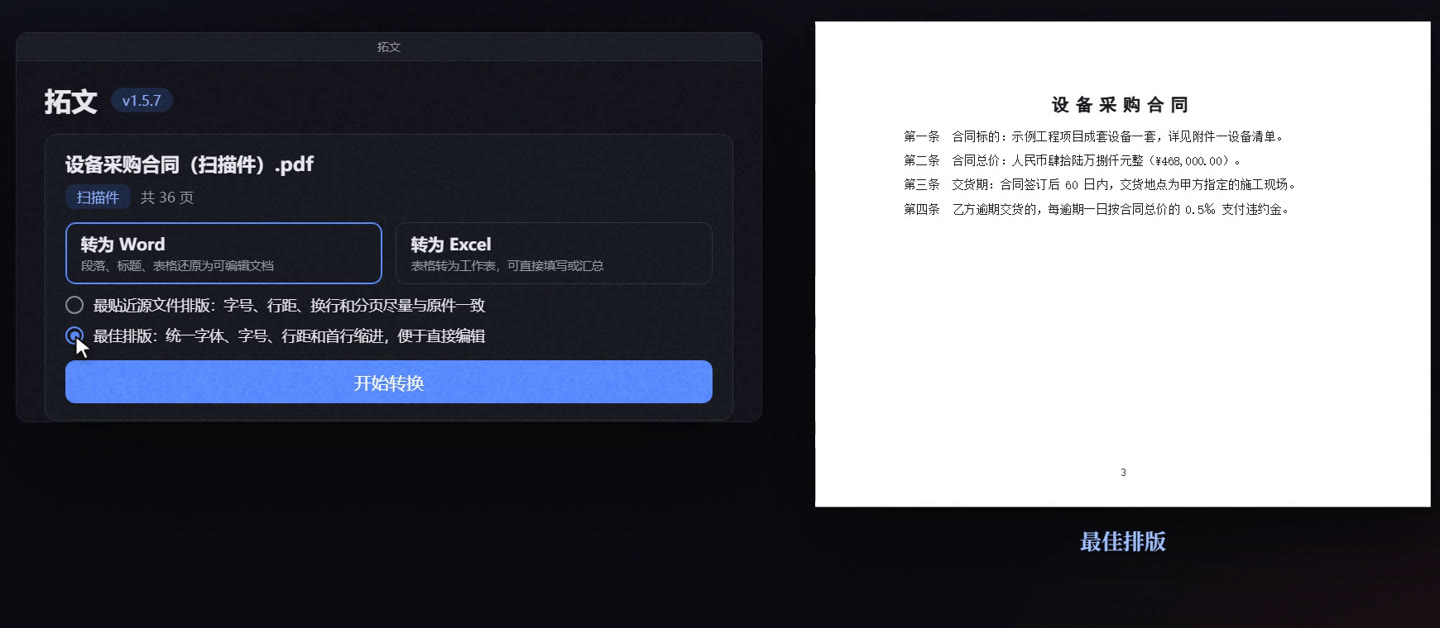
Many PDF-to-Word files look just like the original until you change something. Tuowen aims for a Word file that looks as if someone had carefully typeset it.
| Common PDF-to-Word problems | What Tuowen does |
|---|
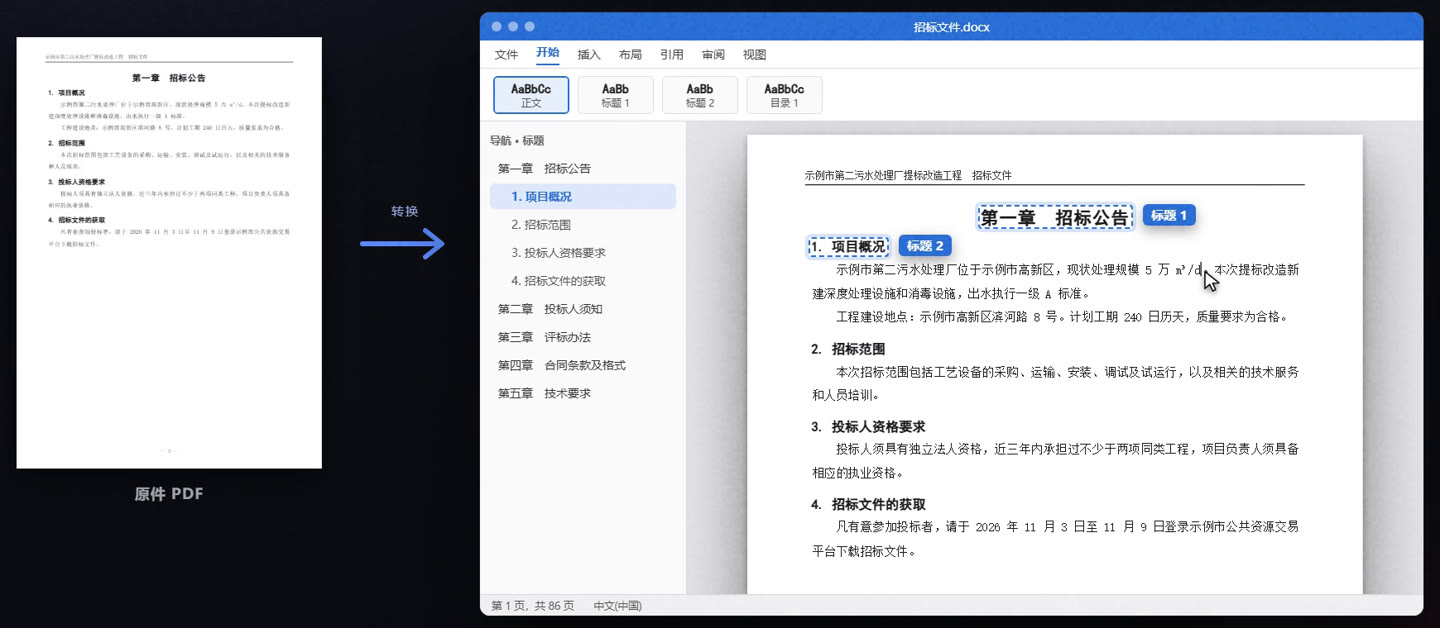
| Body text | Text boxes hold the page together, every line is a paragraph, one edit throws it all off | Real paragraphs: sentences across lines and pages joined into one, laid out with styles |
|---|
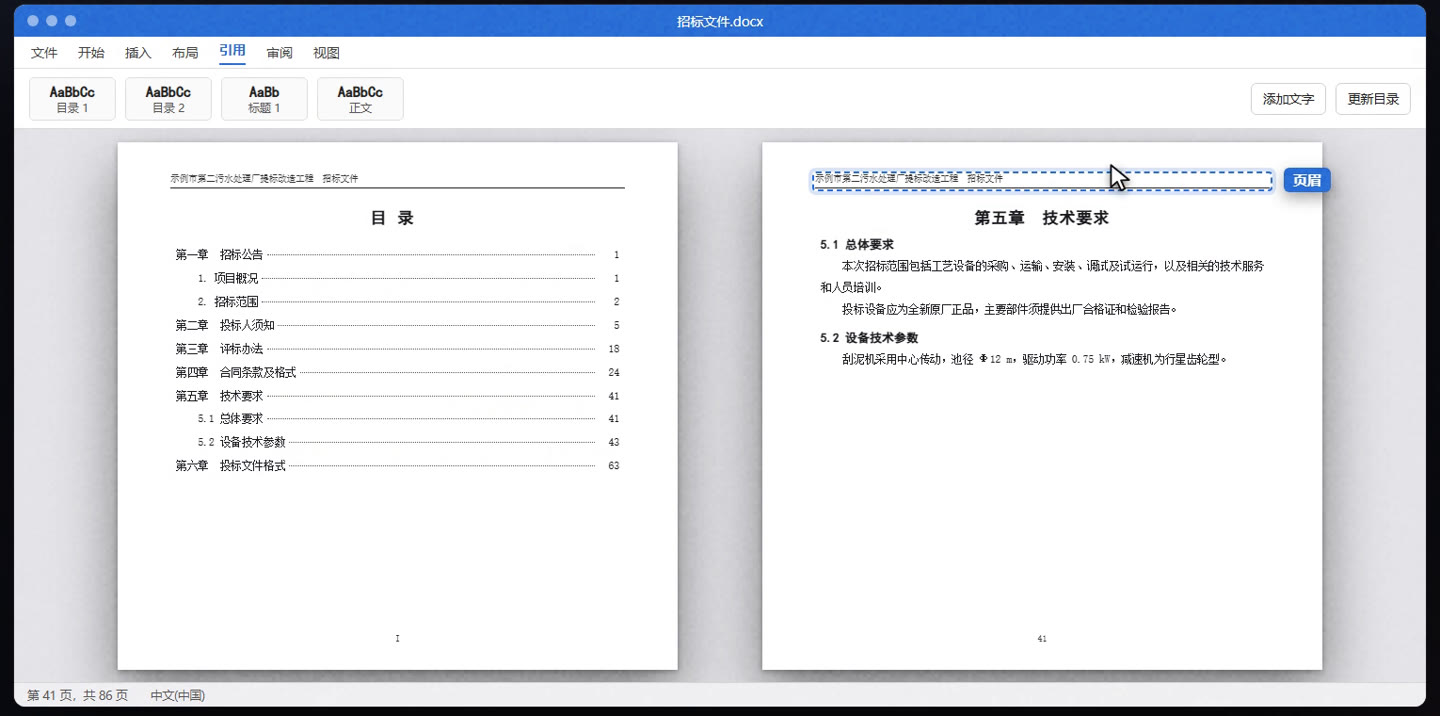
| Headings and contents | Headings are bold plain text; the contents are a row of dots | Heading styles for headings; the contents become a Word TOC field you can click and update |
|---|
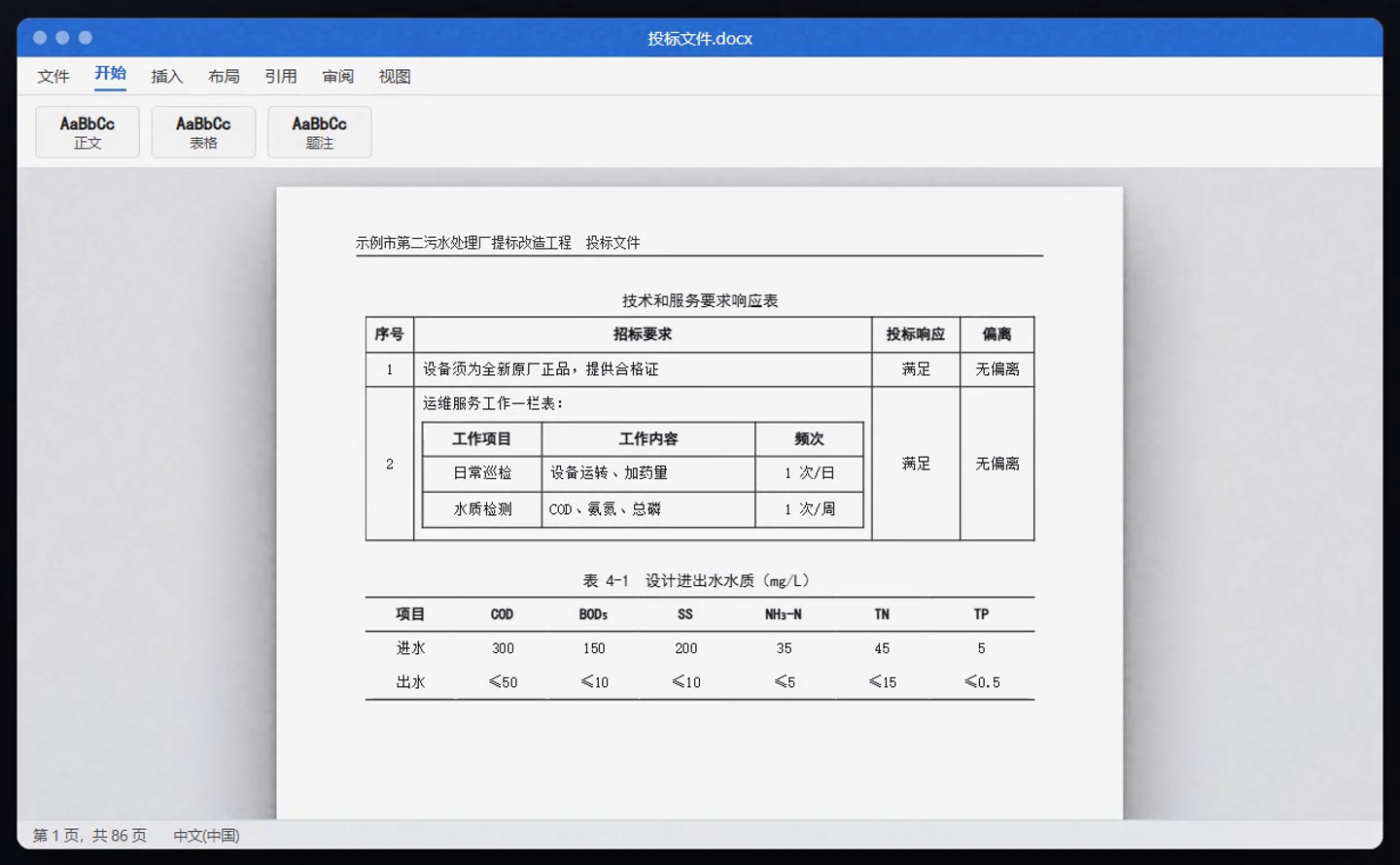
| Tables | A table across pages becomes one table per page; tables inside cells fall apart | Tables across pages joined into one; nested tables, three-line tables and merged cells restored |
|---|
| Headers and footers | Headers and page numbers left in the body, out of place on every page | Real headers and footers, sectioned like the original, page numbers counted from the same start |
|---|
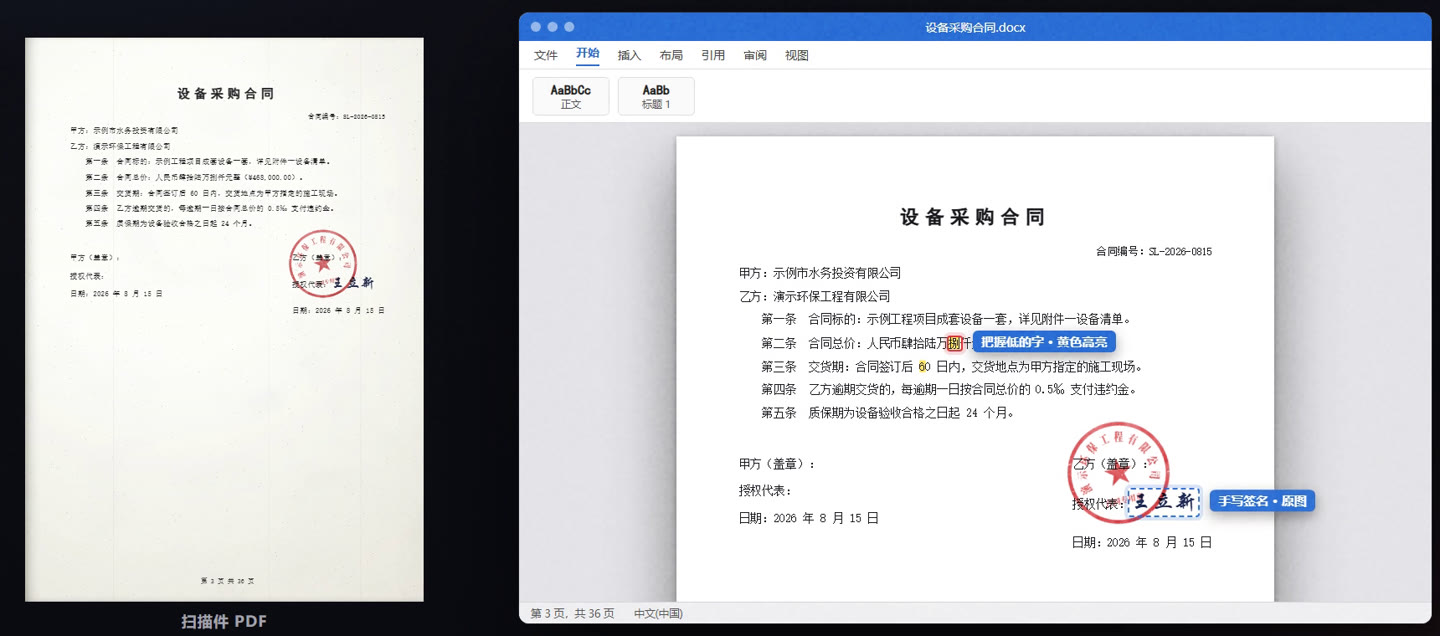
| Scans | No telling right from wrong in the recognised text: check every character | Uncertain characters highlighted in yellow; seals and handwritten signatures kept as images |
|---|
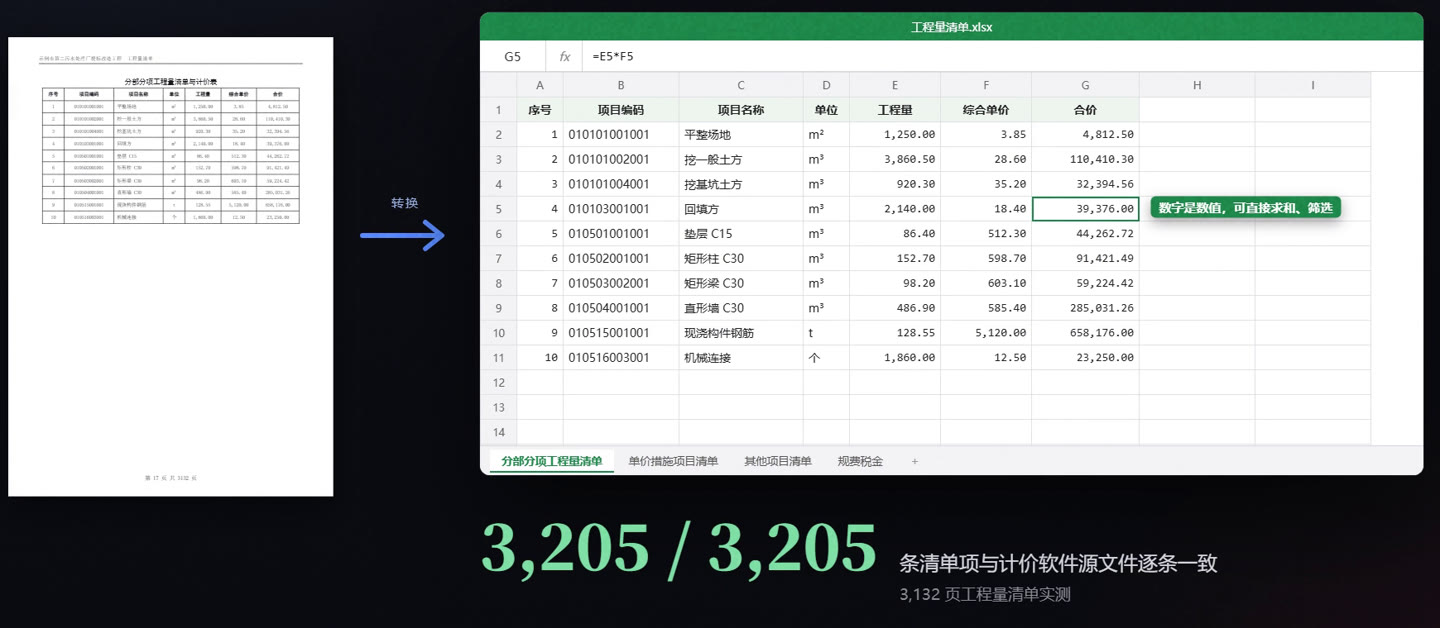
| Bills to Excel | A drawing of the page: merged cells everywhere, numbers stored as text | Tables of the same kind joined into one data table, numbers as numbers, formulas generated |
|---|
We test on engineering tenders, contracts, technical specifications, design calculations, standard drawing sets and science textbooks, and reconvert all of them after every change.
Questions
Does it work with English documents?
Tuowen is built and tested on Chinese documents, and its interface is in Chinese. Text recognition reads Chinese and English, but our test documents are Chinese, so please try your own files during the trial.
Which PDFs can it convert?
PDFs exported from software convert best. Scans, PDFs that copy out as gibberish and PDFs with text turned into outlines are recovered with the built-in offline text recognition. Each page is diagnosed when the file is opened, and the result lists the pages where recognition was used.
How accurate is the recognition of scans?
No recognition is 100% accurate. Tuowen marks characters it is unsure of in yellow in Word, and the cells in Excel, so you only need to check what is highlighted instead of comparing every character. Editable formulas are graded A / B / C, with B and C shaded and commented; the image of the original is the one to trust.
What is the formula recognition add-on? Do I need it?
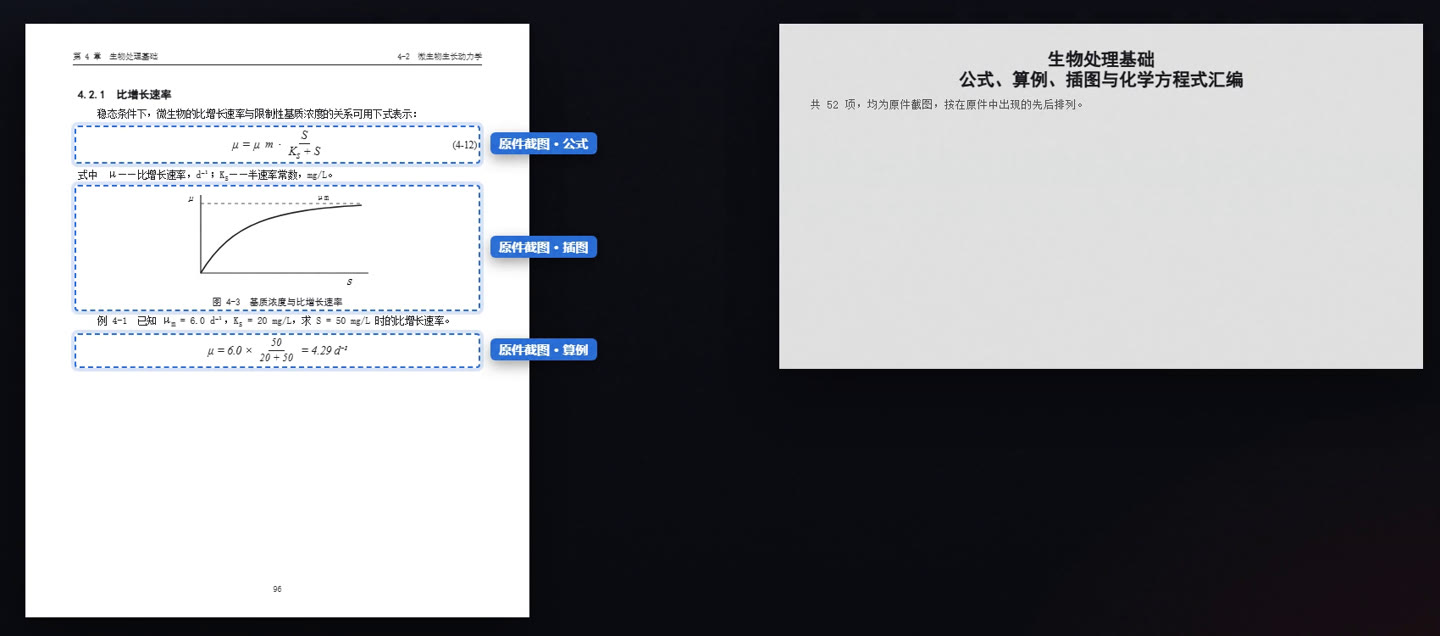
Recognising formulas needs a model of about 400 MB (Apache-2.0 licence) that is not part of the installer; it is a separate download on the download page. Install it when you convert technical scans; without it conversion works as usual and formulas stay as images. One file for Windows and macOS; when you tick the formula option, the app tells you which folder it goes in. Formula recognition is a Pro feature.
Standard or Pro?
Standard converts to Word and Excel and recognises scans, with formulas kept as images. Pro adds formula recognition (formulas, worked examples and chemical equations as editable Word equations) and drawing list extraction (a command-line tool for now). Lots of technical scans: Pro. Mostly contracts, tenders and bills: Standard is enough.
How does the key work? Can I change computers?
Keys are bound to a computer. Click the badge in Tuowen’s top right corner: the panel shows the machine code. Enter it on the order page to get that computer’s key, then paste the key into the same panel. To change computers, enter the new machine code on the order page; each seat can be moved twice a year.
How does the trial work? What happens when it expires?
After installing, every feature is yours for 7 days of use (only days you open a file count, within 30 days). After the trial or a yearly license ends, Tuowen still opens but converts only the first 5 pages of each file, without formula recognition, with a note at the top of the document. Renew and activate the new key. A yearly plan renewed early starts the day after the old one ends.
Are my files uploaded?
No. The text and formula recognition models are installed on your computer, everything is processed offline, and the app does not connect to the internet.
Can WPS open the files? Is there a Mac version?
Tuowen writes standard Word (.docx) and Excel (.xlsx) files that Microsoft Office and WPS both open and edit. There is a Windows version and a macOS version for Apple silicon; the Mac app is not notarised by Apple yet, so the first start needs one visit to System Settings → Privacy & Security, as the download page explains.