Luoyin Software 中文 Buy
Luoyin

Seals on PDF and Word, in one step

Add seal images you are authorised to use to PDF and Word documents, with cross-page seals, signature-block placement, batch processing and optional paper-scan-style copies. Everything is processed on your computer, and nothing is uploaded.

Authorised use: Only overlay seal images you or your organisation are authorised to use. No seal creation, electronic-signature service, digital certificate or identity verification is provided. Forging, altering or misusing seals and creating false documents are prohibited. Screenshots and videos use fictitious documents and demonstration seals. See the user agreement.

Every feature for 7 days of use, then the free edition for good · Windows 10 / 11 · macOS (Apple silicon) · Chinese interface

Luoyin: a seal on the last page and a cross-page seal along every page

Every feature in two minutes

The film is in Chinese.

01 · Open Pro

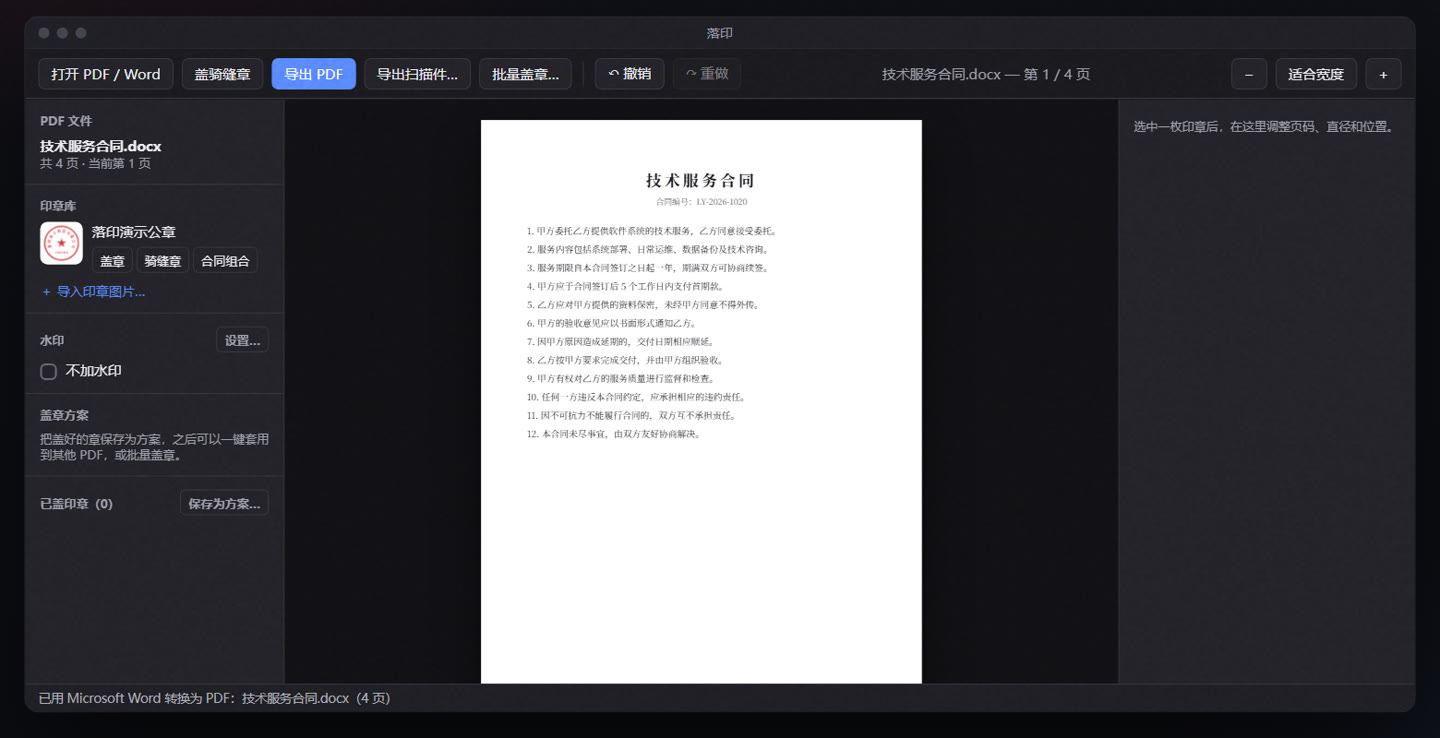
Opens PDF and Word directly

.docx, .doc and .wps files are turned into PDF by the Word or WPS on your computer, so the layout is exactly what you see in Word; without either, a built-in converter takes over. The original text, bookmarks and links all stay.

Opens PDF and Word directly

02 · Find the place Pro

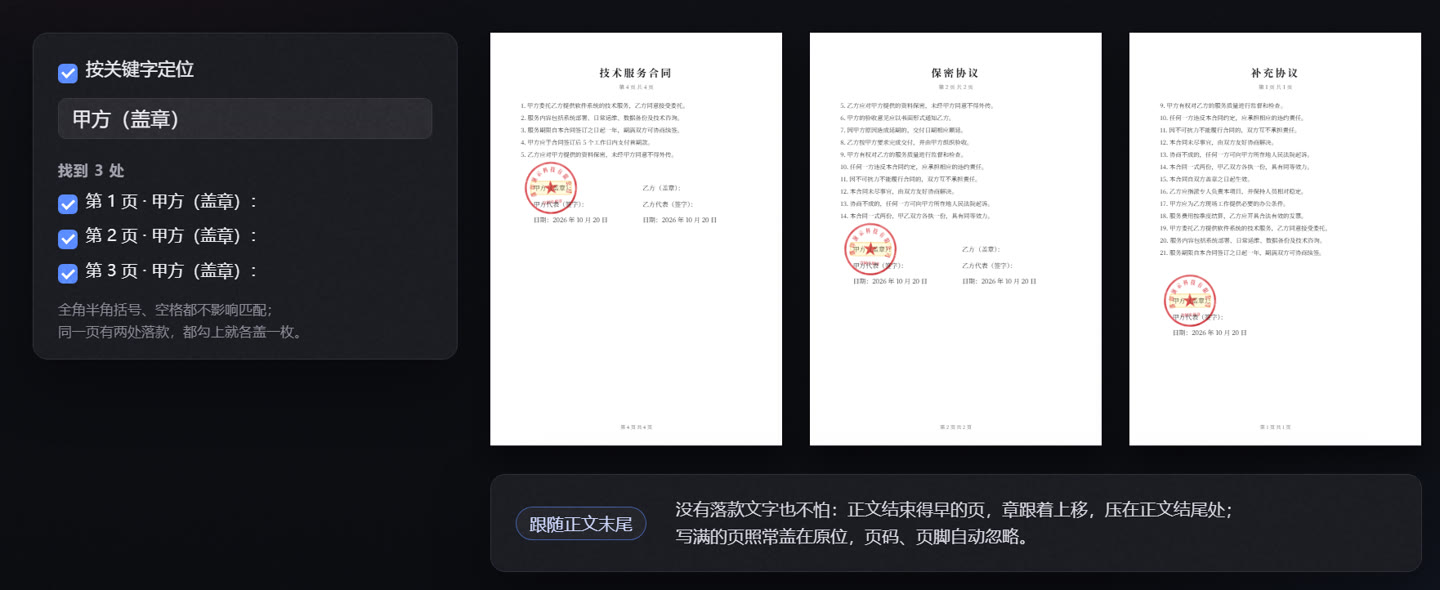
The seal goes where the signature block is

Type 「甲方(盖章)」 (Party A, seal) and Luoyin finds the signature block in every file, on every page, reading scanned and picture pages too. It only matches signature lines, never a mention of “Party A” in the body text; two signature blocks on one page each get a seal, and a batch of contracts whose signature blocks sit in different places is sealed in one go.

The seal goes where the signature block is

03 · Cross-page seals

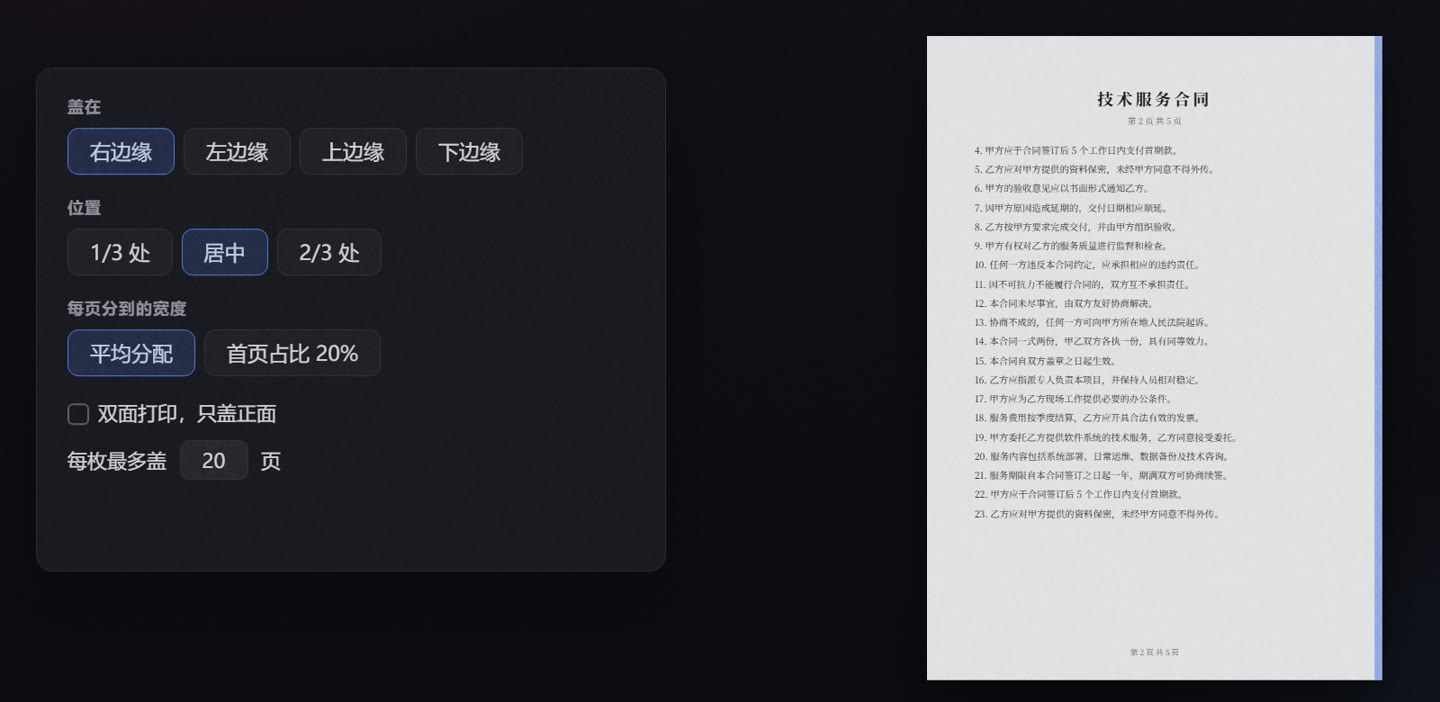
One strip per page, one whole seal when stacked

Each page gets its matching strip, right at the edge and never distorted, and long documents are split over several seals; this comes with the free edition. Pro adds any page edge, the 1/3 or 2/3 position, the first page’s share, front sides only for double-sided printing, and mixed portrait and landscape files sealed along the bottom edge of landscape pages.

One strip per page, one whole seal when stacked

04 · Image and placement Pro

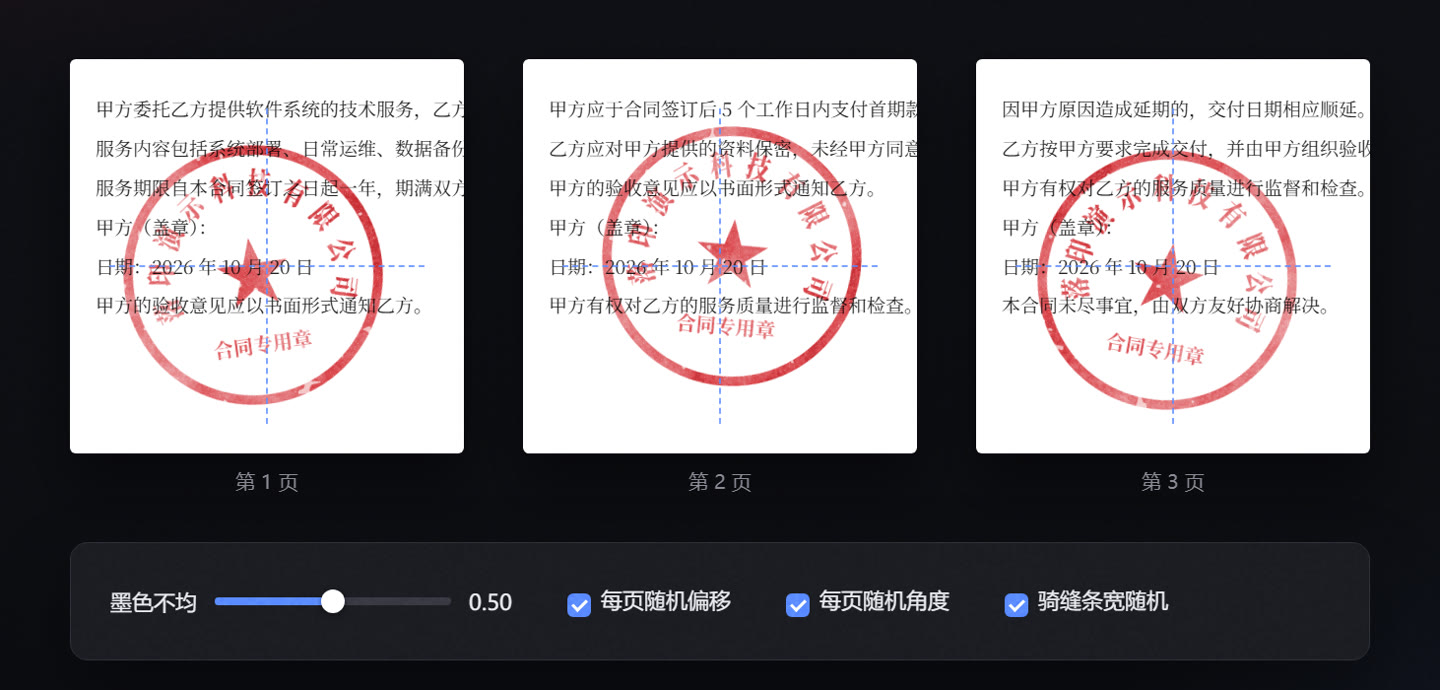
Adjust the position, angle and appearance

Adjust the seal image’s ink, position and angle on each page, and set cross-page strip widths separately; the strips still form one complete image when stacked.

Adjust the position, angle and appearance

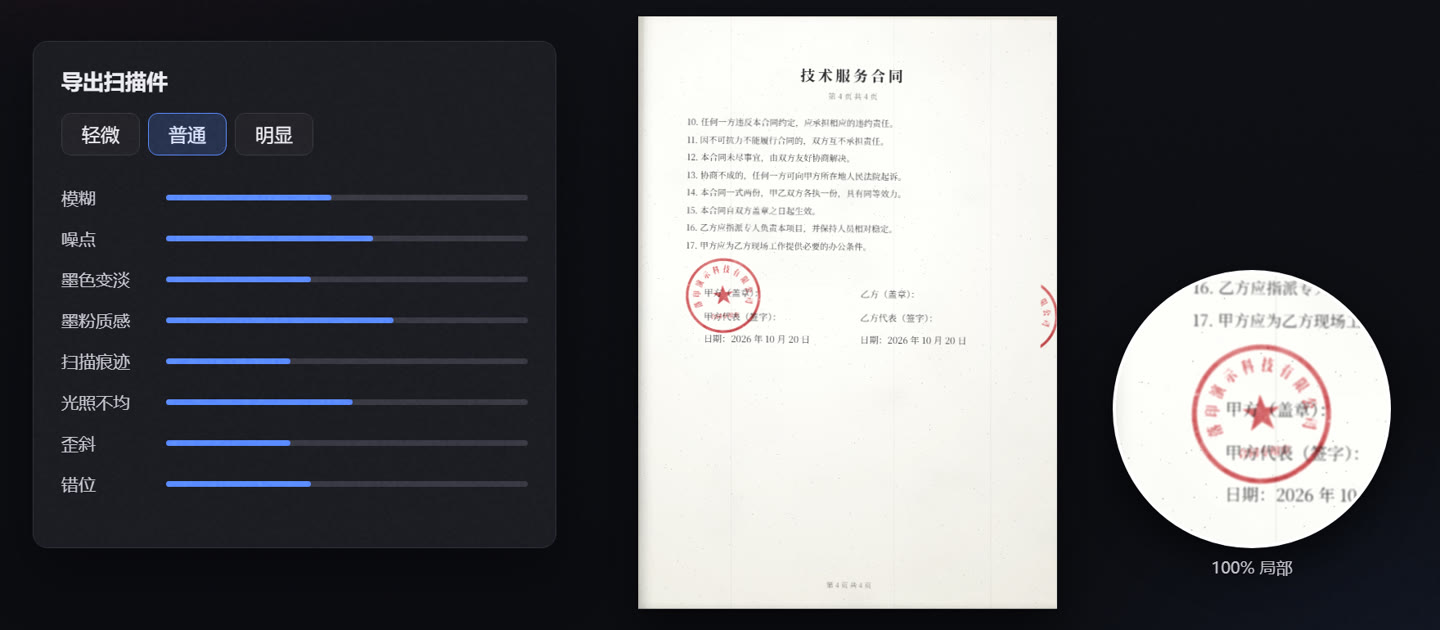
05 · Scanned style Pro

Less repetitive printing and scanning

Export a correctly sealed document as a paper-scan-style copy, with adjustable paper tone, ink, toner texture, skew and lighting. This changes only the document’s appearance: it is not an electronic signature and does not alter its signing status or legal effect.

Less repetitive printing and scanning

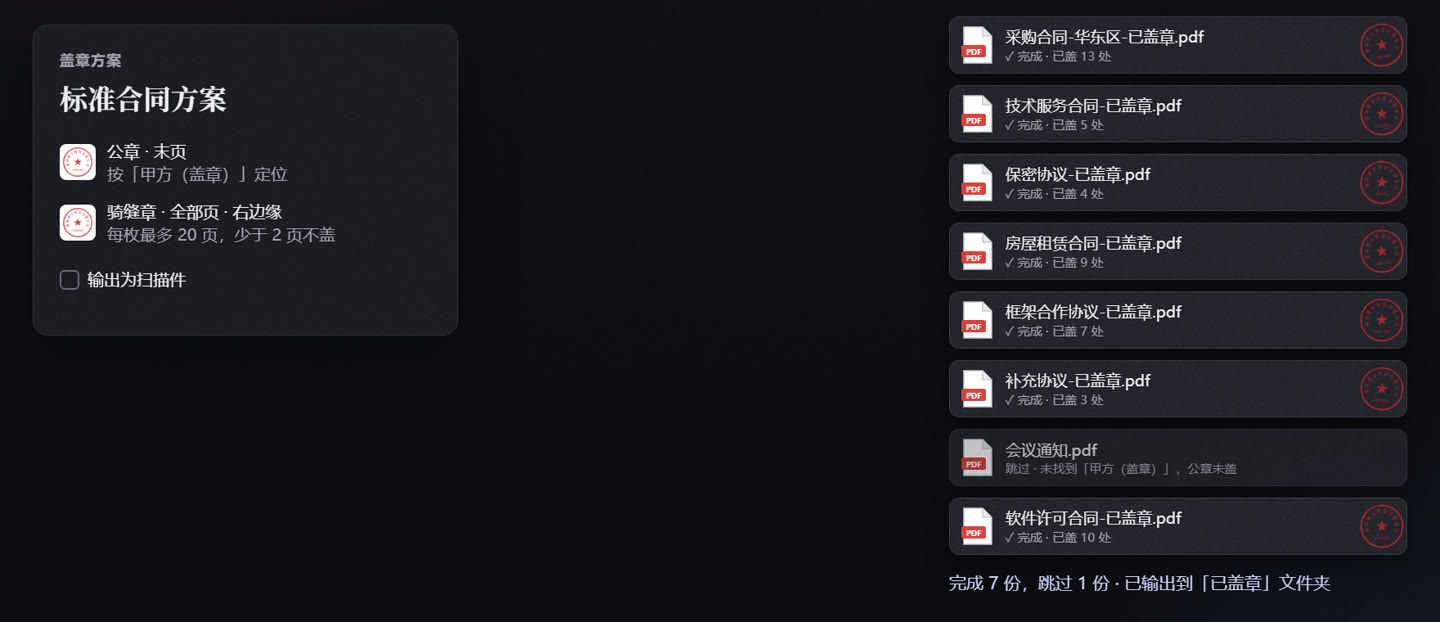
06 · Presets and batches Pro

Seal one file, let the rest follow

Once one file is sealed, save it as a preset and apply it to other files in one click, or process dozens of PDFs and Word files at once. The originals are never touched: you get “name-已盖章.pdf” (sealed), or a scanned-look copy straight away.

Seal one file, let the rest follow

Contract set

A company seal on the last page plus a cross-page seal along all pages, added in one click and adjusted separately.

Watermarks Pro

Tiled text or a logo, kept under the body text by default: it never covers words or gets in the way of copying.

Landscape to portrait Pro

Turns landscape pages upright in one click, and the seal positions follow.

Drag to adjust

In the free edition every page moves together; in Pro a drag changes only this page, and Alt moves all of them. Undo and redo at any time.

Your files stay on your computer

Opening, sealing and exporting all happen locally. PDFs, Word files and seal images are never uploaded anywhere.

The original stays intact

Seals are laid over the original PDF. Its text, bookmarks, links and metadata stay, and the text can still be copied and searched.

License keys checked offline

A key is verified on your computer: no internet connection, no account. On a new computer, just enter it again.

Pricing

Try every feature for 7 days of use (only days you open a file count, within 30 days); after that it becomes the free edition, which seals and exports without limits or watermarks. Buying means entering a key, no reinstall. Prices are in Chinese yuan (CNY).

Free

¥0

  • Open PDFs, add ordinary and cross-page seals
  • Choose pages, resize, drag everything together
  • Contract set: last-page seal plus cross-page seal
  • Export PDF: no limits, no watermark
Download

Once you have paid, the license key appears on the page and is e-mailed to you. Chinese electronic invoices are available. For more than 10 computers, a bank transfer or an invoice first, write to gouqingyu@163.com.

Questions

Is there an English interface?

Not yet: the app is in Chinese. It seals documents in any language, and the keyword search works on whatever text the document has.

How do the trial and the free edition differ?

After installing, every feature is yours for 7 days of use; only days you open a file count, within 30 calendar days. Then it becomes the free edition: open PDFs, add ordinary and cross-page seals and export, without limits or watermarks. Opening Word files, keyword placement, ink effects, the scanned look, cross-page seal options, presets and batches need Pro. Buying only means entering a key; no reinstall.

How do I use the key? On how many computers?

Open Luoyin, click 「免费版 · 升级」 (Free edition · Upgrade) on the right of the toolbar, paste the license key and click 「激活」 (Activate). The license is issued to the person or organisation named when buying, for their own internal use, and is not tied to a computer: the single-computer plans are simply entered again on a new machine; the 5- and 10-computer plans cover that many computers within the organisation.

What does “1 year of upgrades” mean on the lifetime plan?

Every version released within a year of buying is yours. After that the version you have keeps working for good; to move to newer versions, pay a year of upgrades.

Is this an electronic signature? Is it legally binding?

No. Luoyin lays seal images over a PDF; it provides no digital certificate and no tamper protection. Whether the other side accepts the file depends on your agreement with them and the rules that apply. Only use seals that you or your organisation are entitled to use.

Are my files uploaded?

No. Everything is processed on your computer, and the license key is checked offline too.

Is there a Mac version?

Yes, for Apple silicon (M1 and later). The app is not notarised by Apple yet, so the first start needs one visit to System Settings → Privacy & Security; the download page has the steps. The same key works on Windows and Mac.

Can I get an invoice? A refund?

A Chinese electronic invoice (发票), yes: after paying, write to gouqingyu@163.com with your order number and invoice details. Within 7 days of buying, if the app does not work on your computer and we cannot fix it for you, you get your money back in full; see the refund policy.